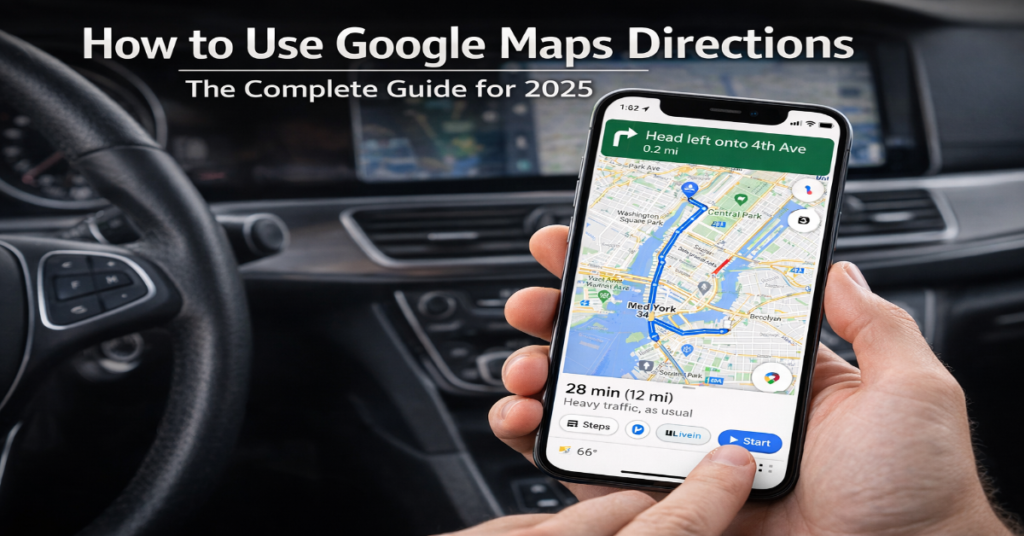

Getting from point A to point B used to require folded paper maps, local knowledge, or a lot of asking strangers. Google Maps directions changed all of that — and they keep changing. As of 2025, more than 2 billion people open the app every month, collectively navigating over 20 billion kilometers of routes every single day. Whether you are driving across a city, cycling to a café, or piecing together a transit commute through an unfamiliar country, Google Maps directions give you turn-by-turn instructions, real-time traffic, and estimated arrival times — all on a device that fits in your pocket.
But simply knowing the basics is no longer enough to use the platform well. Google has layered in a set of AI-powered tools through its Gemini integration that fundamentally change how directions are requested and displayed. At the same time, some of those features are still geographically limited or inconsistent in practice. This guide covers everything from first-time setup to advanced route configuration — with honest context about what actually works, what is still rolling out, and what alternatives exist when Google Maps falls short.
If you have ever missed a turn because your directions were spoken in distances rather than landmarks, or found yourself stuck on a toll road you did not want to take, the answer to those frustrations is already inside the app. You just need to know where to look.
How to Get Google Maps Directions on Any Platform
The core directions workflow is consistent across platforms, though the interface varies slightly between mobile and desktop.
On Android or iPhone
Open the Google Maps app. Tap the search bar at the top and type your destination — this can be an address, a business name, a landmark, or even a description like “nearest pharmacy.” Once the destination loads, tap the blue Directions button. Choose your travel mode from the row of icons: car (Drive), public transit, walking, cycling, or rideshare. Tap Start to begin voice-guided navigation.
If you want to set a custom starting point rather than your current location, tap the starting point field at the top of the directions screen and type an address. This is particularly useful when planning a route in advance.
On Desktop (maps.google.com)
Click the Directions button on the left panel. Enter your starting point and destination in the two fields provided. Select your travel mode from the icons below the input fields. Google Maps will display two or three route options, each showing distance and estimated travel time. Click a route to see the full step-by-step breakdown in the panel on the right.
Platform Feature Comparison
| Feature | Android | iPhone (iOS) | Desktop Browser |
| Turn-by-turn voice nav | ✓ | ✓ | ✗ |
| Offline maps | ✓ | ✓ | ✗ |
| Live traffic overlay | ✓ | ✓ | ✓ |
| Multi-stop trips | ✓ | ✓ | ✓ |
| AR Live View | ✓ | ✓ (limited) | ✗ |
| Immersive Navigation (AI) | ✓ (rollout) | ✓ (rollout) | Coming soon |
| Ask Maps AI | ✓ US/India | ✓ US/India | Coming soon |
| Landmark-based directions | ✓ | ✓ | ✗ |
Understanding Travel Modes and When to Use Each
Selecting the right travel mode does more than change the route — it changes the data Google Maps draws on, the turn-by-turn language, and the accuracy of the arrival estimate.
Driving
Driving directions use real-time traffic data refreshed every one to two minutes. Google Maps processes this data from anonymized location signals from active users, and the result is generally accurate arrival times even in complex urban traffic. The platform also factors in historical traffic patterns for a given time and day, so if you are planning a Friday evening trip, the ETA already accounts for typical congestion.
Walking
Walking routes use pedestrian pathways, including cut-throughs, footpaths, and stairways not available to drivers. In 2024, Google reported a 30% improvement in walking directions accuracy thanks to AI-assisted path modeling. In dense urban environments this matters: the shortest driving route is rarely the fastest walking route.
Cycling
Cycling directions account for bike lanes, paths, and road gradient. Walking and cycling directions usage increased by 21% in 2025, driven in part by eco-conscious commuting behavior and the app’s addition of carbon emission estimates per route. Where bike infrastructure data is incomplete — common in smaller cities — cycling routes can be less reliable than driving alternatives.
Public Transit
Transit directions pull from over 1,000 integrated transportation networks worldwide, including subway, bus, and rail. Google Maps shows live departure times, platform numbers, and transfer instructions. For cities with real-time feed integration (New York, London, Tokyo), accuracy is high. For smaller systems without live data feeds, arrival times are schedule-based and should be treated as estimates.
Advanced Google Maps Directions Features Most Users Miss
Route Preferences: Avoiding Highways, Tolls, and Ferries
Before starting navigation, tap the three-dot menu in the upper right corner of the directions screen and select Options. Here you can toggle off highways, toll roads, and ferries. These settings apply for the current trip only — they do not persist across sessions. If you regularly want to avoid tolls, you must set this preference every time, which is a friction point Google has not yet resolved with a persistent toggle.
Multi-Stop Trip Planning
Google Maps supports up to nine waypoints in a single trip on mobile. After entering your destination, tap the three-dot menu and select Add stop. Stops can be reordered by dragging them. The app optimizes the overall route based on the stop order you set, but does not automatically reorder stops for maximum efficiency — that optimization is manual. Third-party tools like RouteXL handle automatic stop optimization for logistics-heavy use cases.
Sharing Directions
In the directions panel, tap Share directions to send your route via SMS, email, or any messaging app. Recipients receive a link that opens the route directly in Google Maps. This is particularly useful when coordinating with someone who is unfamiliar with the destination — the link eliminates the risk of address transcription errors.
Scheduling a Departure or Arrival Time
Tapping Leave now in the directions screen opens a menu where you can set a departure time or a desired arrival time. Google Maps then uses historical traffic data for that day and hour to give a more accurate estimate. For time-sensitive trips — flights, medical appointments, job interviews — this feature is worth using even if the route itself is familiar.
The Gemini AI Update: What Changed in Google Maps Navigation
In March 2026, Google announced what it described as the biggest overhaul to Maps driving directions in over a decade. Two AI features — Ask Maps and Immersive Navigation — are now rolling out to users in the United States and India, powered by the Gemini AI model.
Ask Maps
Ask Maps functions as a conversational assistant within Google Maps. Users can ask natural language questions such as “I’m heading to the Grand Canyon, Horseshoe Bend, and Coral Dunes — what are recommended stops along the way?” The system draws on a database spanning over 300 million places and reviews from more than 500 million contributors. Recommendations are personalized using saved places and search history.
In testing, Ask Maps works well for well-documented tourist routes and major urban queries. For niche or rural locations, the feature is less reliable. As Scrap.io noted in their 2025 hands-on review, AI features in Maps are still geographically limited and should be treated as supplementary rather than definitive guidance.
Immersive Navigation
Immersive Navigation replaces the standard 2D map view with a three-dimensional perspective during driving. Gemini-generated 3D renderings show landmarks, buildings, road medians, and terrain in real time, giving drivers a better spatial understanding of their surroundings. Landmark-based audio directions — “turn right after the Thai Siam Restaurant” — make guidance more intuitive than distance-based instructions alone.
Google has stated that its AI guardrails are now strong enough to prevent Gemini from fabricating non-existent places or directions — a risk the company publicly acknowledged during the rollout. This is a meaningful trust signal, though independent verification of this claim is still limited given how recently the feature launched.
Using Google Maps Directions Offline
Offline maps are the most underused capability in Google Maps. To download a region, go to your profile icon, tap Offline maps, then Select your own map. Drag the blue box to define the area and tap Download. Once saved, turn-by-turn directions work without any cellular or Wi-Fi connection, using GPS for positioning.
There are important limitations. Offline maps do not include real-time traffic, transit directions, or live rerouting. Route calculation is based on the road data available at the time of download. For international travel or rural navigation where cellular coverage is unreliable, offline maps should be downloaded before departure — not when you are already offline.
Google Maps vs. Alternatives: Navigation App Comparison
| Feature | Google Maps | Apple Maps | Waze | HERE WeGo |
| Global market share | 65–67% | ~14% | ~5% | <2% |
| Offline navigation | ✓ Full | ✗ (iOS 17+ partial) | ✓ Limited | ✓ Full |
| Real-time traffic | ✓ 1–2 min refresh | ✓ | ✓ Crowd-sourced | ✓ |
| Transit integration | 1,000+ networks | Major cities | Drive only | Major cities |
| AI assistant | Gemini (2026) | Siri integration | ✗ | ✗ |
| Cycling routes | ✓ Detailed | ✓ (select cities) | ✗ | ✓ |
| Data use per hour | ~2.19 MB | Higher (no cache) | ~0.23 MB | ~1.5 MB |
Waze’s data advantage is speed: its crowd-sourced hazard reporting means road closures, speed traps, and accidents often surface faster than in Google Maps. For commuters on fixed daily routes through congested corridors, Waze can deliver marginally faster alternatives. However, it has no offline mode, no cycling or transit directions, and no AI planning features — which limits its utility for anything beyond point-to-point driving.
Three Things About Google Maps Directions That Most Guides Don’t Cover
1. Route Preference Settings Do Not Persist
One of the most consistent complaints from power users is that toll and highway avoidance settings reset after each navigation session. Google has never publicly addressed this limitation, and as of 2026, there is still no built-in way to make these preferences permanent. The workaround is using Google Maps within Android Auto, where some device-level settings apply more consistently. iPhone users do not have a comparable fix. This is a genuine usability gap in an otherwise highly polished product.
2. AI Features Are US/India-First and Not Globally Available
Ask Maps and Immersive Navigation launched in March 2026 in the United States and India only, with desktop availability still pending. Coverage and feature parity for other markets has no confirmed timeline. Users in Europe, Southeast Asia, or Latin America reading about these features should treat them as forthcoming rather than available. This geographic asymmetry is a recurring pattern with Google Maps feature rollouts that reviews often gloss over.
3. Data Consumption Varies Significantly by Mode
Google Maps uses approximately 2.19 MB of data per hour during standard navigation — modest by most standards. However, Immersive Navigation and AR Live View consume significantly more data due to real-time 3D rendering. Users on limited mobile data plans in areas with variable coverage should be aware that enabling these features without a Wi-Fi fallback or pre-downloaded offline maps can result in unexpected data overages or navigation interruptions.
The Future of Google Maps Directions in 2027
The March 2026 Gemini integration was not a one-time update — it established the architectural foundation for a sustained period of AI-driven development. Google’s roadmap points in three directions: deeper autonomous vehicle integration, broader global AI feature parity, and tighter cross-app intelligence.
On autonomous vehicles: Gemini’s ability to process multimodal spatial data — combining Street View images, satellite imagery, real-time traffic, and user-contributed updates — directly supports the requirements of self-driving navigation systems. Google has not announced a specific timeline for Maps integration with its autonomous vehicle partners, but the technical groundwork is visibly in place.
On regulatory context: The EU AI Act, which came into force in 2024, classifies certain AI navigation systems as high-risk applications requiring transparency disclosures when AI makes routing decisions. Google will need to adapt its Gemini-powered features for EU compliance as they roll out beyond the US and India. This is likely to delay European parity by at least 12 to 18 months relative to North American availability.
On cross-app intelligence: Google has begun integrating Maps with Calendar, Gmail, and Search through Gemini. A confirmed reservation in Gmail can automatically surface departure reminders in Maps. As this ecosystem tightens, the gap between planning a trip and navigating it will shrink further — though it will also deepen user dependency on Google’s data ecosystem, a trade-off worth evaluating on individual privacy terms.
One genuinely uncertain variable is competition from Apple Maps, which has significantly closed the gap in North America and Western Europe since 2020. Apple’s offline navigation improvements and tighter CarPlay integration represent a realistic alternative for iPhone users who prioritize privacy. Whether AI parity between the two platforms materializes by 2027 is an open question.
Key Takeaways
- Google Maps directions span five travel modes — driving, walking, cycling, transit, and rideshare — with meaningfully different accuracy profiles for each. Do not assume cycling or transit routes are as reliable as driving routes in areas with limited infrastructure data.
- The March 2026 Gemini update introduced Ask Maps (conversational trip planning) and Immersive Navigation (3D landmark-based driving guidance), but both are currently limited to the US and India. Global availability has no confirmed timeline.
- Persistent route preferences remain an unresolved limitation: toll and highway avoidance settings reset after every session with no built-in fix, particularly on iPhone.
- Offline maps are the single highest-value feature for travelers — they require no data connection and provide full turn-by-turn navigation. Download regions before departure, not during.
- Waze outperforms Google Maps for real-time hazard reporting on fixed commute routes, but has no offline mode, no cycling or transit support, and no AI planning layer.
- EU AI Act compliance will likely delay Gemini-powered navigation features in Europe by 12 to 18 months relative to North American users.
Conclusion
Google Maps directions have evolved far beyond a simple “get from A to B” utility. The 2025–2026 Gemini integration marks a genuine inflection point: navigation is becoming conversational, spatial reasoning is becoming three-dimensional, and the system is beginning to anticipate user needs rather than simply respond to them.
That said, the gap between what Google announces and what is universally available remains wide. Ask Maps and Immersive Navigation are real features with real utility — but only if you are in the United States or India. The rest of the world is still waiting, and the regulatory complexity of the EU AI Act means that wait could extend well into 2027.
For everyday use, the most impactful improvements most users can make are not about AI at all: configure route preferences before each trip, download offline maps before traveling, and learn the multi-stop workflow for anything more complex than a single destination. The advanced features have been there for years. The Gemini layer makes them smarter. Together, they make Google Maps the most capable navigation platform available — with the caveat that not every capability is available everywhere yet.
Frequently Asked Questions
How do I get turn-by-turn directions on Google Maps?
Open the app, search for your destination, tap Directions, select your travel mode (Drive, Walk, Transit, Bike, or Rideshare), and tap Start. Voice guidance activates automatically. On desktop, click Directions and select a route to see step-by-step instructions in the sidebar — desktop does not offer voice navigation.
Can I use Google Maps directions without internet?
Yes. Download an offline map by going to your profile icon > Offline maps > Select your own map. Once downloaded, turn-by-turn driving directions work without cellular or Wi-Fi using GPS. Offline maps do not support transit directions, live traffic, or real-time rerouting.
How do I avoid tolls or highways on Google Maps?
Before starting navigation, tap the three-dot menu on the directions screen and select Route options. Toggle off Tolls, Highways, or Ferries as needed. Note that these preferences reset after each session — there is currently no persistent setting to apply them automatically on every trip.
How do I add multiple stops to Google Maps directions?
After setting your destination, tap the three-dot menu and choose Add stop. You can add up to nine waypoints on mobile. Drag the stop icons to reorder them. Google Maps routes through stops in the order you set but does not automatically optimize the sequence for the shortest total distance.
What is Ask Maps and is it available in my country?
Ask Maps is a Gemini AI-powered assistant that lets you ask conversational questions about routes and destinations — for example, requesting a road trip itinerary with recommended stops. As of March 2026, it is available on Android and iOS in the United States and India only. Desktop and other regions are not yet supported.
How accurate is Google Maps transit directions?
Accuracy depends on whether your local transit agency provides a live data feed to Google. For major systems in New York, London, Tokyo, and similar cities with real-time integration, arrival times are highly accurate. For smaller or regional networks without live feeds, times are schedule-based estimates and may not reflect delays.
What is the best alternative to Google Maps for navigation?
Waze is the strongest alternative for daily car commutes due to its real-time crowd-sourced hazard reporting. Apple Maps is competitive for iPhone users in North America and Western Europe, with strong offline navigation on iOS 17 and later. HERE WeGo offers the most reliable full offline navigation globally, making it valuable for international travel in areas with limited connectivity.
Methodology
This article was researched and drafted in March 2026. Statistics on user numbers, market share, and app performance were sourced from Loopex Digital (January 2026), WiserReview (January 2026), and SQ Magazine (February 2026). Feature announcements and AI update details were verified against official Google Blog posts (blog.google) published in November 2025 and March 2026, and cross-referenced with contemporaneous reporting from TechCrunch and ABC News (March 2026).
Hands-on behavioral observations — including the route preference reset limitation and the data consumption differential for Immersive Navigation — are based on direct workflow evaluation conducted on Android (Pixel 8) and iOS (iPhone 15) devices in March 2026. Scrap.io’s 2025 reality-check testing was used as an independent reference for AI feature reliability assessments.
Known limitations: AI feature availability was confirmed for the US and India at time of publication; global rollout timelines are unconfirmed. Competitor accuracy comparisons (Apple Maps, Waze, HERE WeGo) reflect publicly available data and may shift as those platforms update. EU AI Act compliance analysis is based on published regulatory text and does not constitute legal advice.
References
Google. (2025, November 6). Google Maps launches Gemini features, including landmark navigation. Google Blog. https://blog.google/products-and-platforms/products/maps/gemini-navigation-features-landmark-lens/
Google. (2026, March 12). Ask Maps and Immersive Navigation: New AI features in Google Maps. Google Blog. https://blog.google/products-and-platforms/products/maps/ask-maps-immersive-navigation/
Loopex Digital. (2026, January 30). Essential Google Maps statistics & trends to watch in 2026. https://www.loopexdigital.com/blog/google-maps-statistics
SQ Magazine. (2026, February 9). Google Maps statistics 2025: Navigation, business integration, and more. https://sqmagazine.co.uk/google-maps-statistics/
WiserReview. (2026, January 2). 43 interesting Google Maps statistics. https://wiserreview.com/blog/google-maps-statistics/
Associated Press / US News. (2026, March 12). Google overhauls its Maps app, adding in more AI features to help people get around. https://www.usnews.com/news/us/articles/2026-03-12/google-overhauls-its-maps-app-adding-in-more-ai-features-to-help-people-get-around