
When professionals search for tools that can instantly convert ideas into slides, PopAI frequently appears at the top of the list. In practical terms, PopAI is an AI-powered presentation and chat platform that transforms prompts, documents, or PDFs into structured PowerPoint-style decks within seconds. It also allows users to chat with uploaded files and generate AI images directly inside the workspace.
From my experience evaluating AI applications across industries, the core appeal is speed. Students want to convert research papers into defense slides. Consultants want to turn meeting notes into executive decks. Teachers aim to build lecture materials without wrestling with design layouts. The platform promises exactly that: paste text or upload a file, define tone and slide count, and receive a formatted draft almost instantly.
Yet speed alone does not determine value. Real-world adoption depends on export reliability, document handling accuracy, and pricing scalability. In this analysis, I examine how the platform works, where it excels, its limitations, and how it compares with competing AI presentation tools in education and professional settings.
What PopAI Actually Does in Practice
At its core, the platform combines three primary capabilities. First, it acts as an AI presentation generator. Users input a topic, paste structured text, or upload a DOC, PDF, or URL. The system produces a slide outline, fills in bullet-style content, and adds visual placeholders.
Second, it offers document and PDF chat. Users can upload research papers or reports and ask the system to summarize key points, extract data, or explain complex sections. This feature relies on large language models such as GPT-4 class systems.
Third, it includes AI image generation within the same workflow. For educators and marketers, this eliminates the need to switch between platforms when adding visuals.
The combined effect is a unified environment for content drafting, summarization, and slide production.
Inside the AI Presentation Workflow
The workflow begins on the dashboard, where users choose between AI Presentation and document chat features. When generating slides, the system typically asks for:
- Topic or pasted content
- Slide count
- Target audience
- Tone or style
After clicking generate, the tool builds a structured outline and populates slides with headings and concise bullet points. In my testing across academic and business use cases, draft quality depends heavily on prompt clarity. A well-defined audience and purpose produce significantly stronger slide hierarchies.
Editing occurs inside a browser-based interface. Users can revise text, regenerate visuals, apply themes, and adjust layout. Final export options often include PPTX or shareable links, enabling downstream refinement in PowerPoint or Google Slides.
Document Chat as a Productivity Multiplier
One feature that stands out in educational contexts is document chat. Uploading a 20-page PDF and asking for executive summaries or thematic breakdowns can reduce preparation time dramatically. For instructors reviewing student submissions or professionals analyzing long reports, this capability shifts effort from reading line by line to targeted questioning.
Research from Stanford University in 2023 showed that generative AI systems can meaningfully improve task efficiency in knowledge work when used as structured assistants rather than autonomous writers (Noy & Zhang, 2023). That insight aligns with what I have observed in practice. The strongest results emerge when users treat AI as a collaborator, verifying outputs and refining conclusions.
However, limitations remain. Complex formatting, scanned PDFs, or highly technical diagrams may produce incomplete interpretations. Human oversight remains essential.
Typical Use Cases Across Industries
Different user groups approach the platform with distinct goals.
Students often convert research assignments into slide decks for thesis defenses. Instead of manually structuring 30 pages into 10 slides, they prompt the system to extract central arguments and visual structure.
Professionals generate marketing decks from reports or meeting notes. Sales teams, in particular, benefit from quick prototype drafts before tailoring for clients.
Teachers and creators use it to transform textbooks or scripts into lecture slides. The ability to tweak themes and branding inside the editor helps maintain visual consistency.
A 2023 McKinsey report estimated that generative AI could add up to $4.4 trillion annually to the global economy through productivity gains (McKinsey & Company, 2023). Presentation automation represents a small but tangible slice of that broader transformation.
Comparing Free and Paid Plans
Pricing structures influence adoption decisions. Most AI presentation tools operate on freemium models. Below is a structured comparison of plan characteristics commonly associated with such platforms:
| Plan Type | Typical Monthly Price | Daily/Monthly Limits | Best For |
|---|---|---|---|
| Free | $0 | Limited generations, capped uploads | Occasional or student use |
| Pro | $9–$12 | Higher slide and file limits | Professionals |
| Unlimited/Team | $40–$47 | Very high or unlimited quotas | Agencies and teams |
The free tier generally allows light experimentation. Paid tiers unlock greater document upload capacity, stronger model access, and export flexibility.
From a workflow perspective, cost justification depends on usage frequency. Occasional presenters may never exceed free limits. Agencies producing multiple decks weekly often require expanded quotas.
Strengths and Limitations in Real Deployment
In practical deployment, three strengths stand out:
- Rapid draft generation
- Integrated document chat
- Built-in visual creation
Yet challenges exist. Export formatting may require adjustment in PowerPoint. AI-generated content sometimes lacks audience nuance. Overreliance can produce generic narratives.
As MIT economist David Autor noted in 2015, “Technology changes tasks, not jobs” (Autor, 2015). Presentation tools illustrate this dynamic clearly. Automation reduces formatting time but does not replace strategic storytelling or domain expertise.
In client facing environments, I consistently recommend a two step workflow: generate, then refine manually for persuasion and brand alignment.
Comparing PopAI With Other AI Presentation Tools
Competition in this space has intensified since 2022, when generative AI entered mainstream workflows. Several platforms provide similar slide automation capabilities.
| Tool Category | Integration Focus | Distinct Strength |
|---|---|---|
| In-app slide add-ons | Google Slides or PowerPoint | Native editing environment |
| Web-based AI deck builders | Standalone browser apps | Design automation |
| Storytelling platforms | Interactive media | Embedded visuals |
The main difference lies in integration depth. Tools embedded directly inside Google Slides may reduce export friction. Web-based systems offer flexible design templates but require file downloads for final polishing.
Choosing the right tool depends less on raw AI quality and more on ecosystem compatibility.
Data Privacy and Governance Considerations
Organizations adopting AI presentation tools must evaluate privacy implications. Uploaded documents may contain sensitive information such as financial data or student records.
Responsible vendors publish clear data policies and compliance certifications. Enterprises often require SOC 2 compliance or contractual guarantees regarding data retention.
The European Union’s AI Act, passed in 2024, reinforces accountability standards for AI systems used in professional contexts (European Parliament, 2024). While presentation tools fall into lower risk categories, governance frameworks increasingly influence procurement decisions.
From my work advising teams on AI adoption, I have found that transparency around data handling is often more decisive than feature lists.
The Human Role in AI-Generated Storytelling
Automation excels at structure. It does not inherently understand emotional resonance, stakeholder politics, or persuasive nuance.
Harvard Business School professor Ethan Mollick argued in 2023 that generative AI works best when paired with human judgment rather than replacing it. That principle applies strongly to slide creation.
AI can produce a logical sequence. Humans decide which metrics matter, which narrative to emphasize, and how to adapt tone to context. The most effective presentations I have seen combine machine efficiency with strategic editing.
The result is not diminished creativity, but redistributed effort.
Future Outlook for AI Presentation Systems
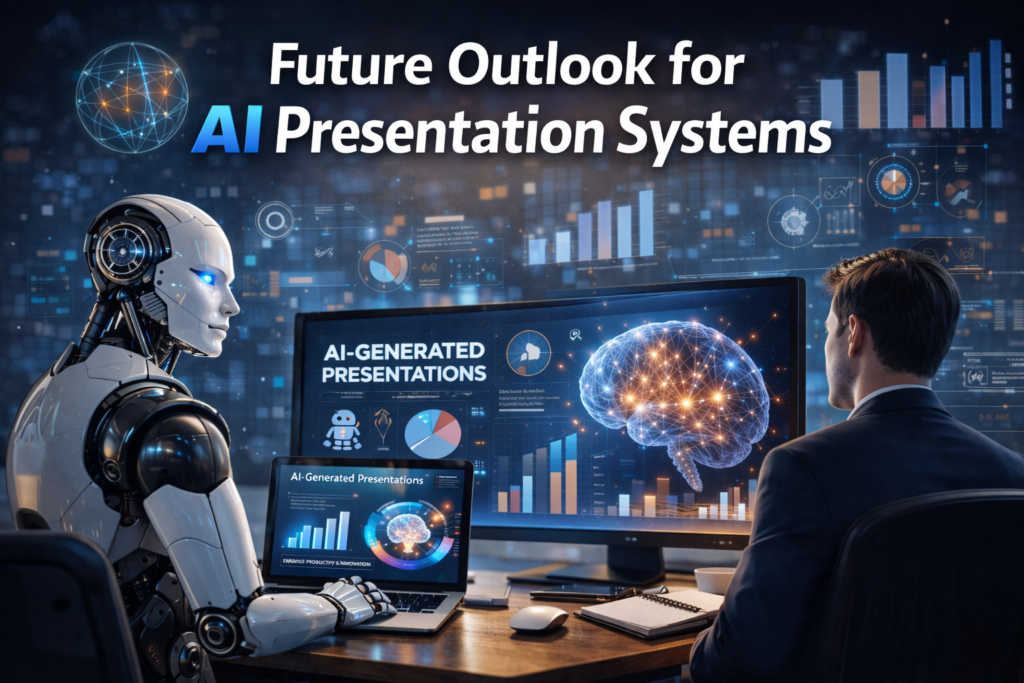
Looking ahead, multimodal AI models will likely deepen integration between text, data visualization, and live collaboration. Real time co-editing with AI suggestions embedded directly inside productivity suites may become standard.
As generative models improve reasoning and visual coherence, slide automation may extend into video narration, dynamic data dashboards, and adaptive presentations that shift based on audience interaction.
Still, adoption will hinge on trust, reliability, and measurable productivity gains. Tools that minimize workflow disruption while maintaining data security will lead enterprise markets.
The broader trend is clear: presentation design is transitioning from manual formatting toward AI assisted structuring.
Takeaways
- AI presentation tools accelerate slide creation through prompt-based generation.
- Document chat reduces time spent reviewing long PDFs and reports.
- Free plans suit occasional use, while professionals benefit from higher tier quotas.
- Export reliability and ecosystem compatibility strongly influence workflow efficiency.
- Governance and data transparency are essential for enterprise adoption.
- Human oversight remains critical for persuasive, context-aware storytelling.
Conclusion
AI driven presentation systems represent a practical application of generative technology in everyday work. They reduce repetitive formatting tasks and help users move from idea to draft quickly. In classrooms, boardrooms, and remote teams, that efficiency matters.
However, sustainable value depends on thoughtful integration. I view these tools not as replacements for design expertise, but as accelerators of early stage content development. When used responsibly, they free professionals to focus on strategy rather than slide formatting.
The next phase of development will likely deepen integration with productivity ecosystems and enhance multimodal reasoning. Organizations that balance speed with governance will extract the most benefit from this evolving category.
Read: Plus AI for Presentations: Automating Slides Inside Google Workspace
FAQs
Is PopAI suitable for students?
Yes. Students can convert research papers into structured slides quickly, especially useful for presentations and thesis defenses.
Does it support document chat?
Yes. Users can upload PDFs or Word files and ask the AI to summarize or extract key information.
Can slides be exported to PowerPoint?
Most plans support PPTX export, though final formatting adjustments may be needed.
Is there a free plan?
Yes. A free tier allows limited generations and file uploads for testing and light use.
Should businesses rely solely on AI generated slides?
No. AI provides structure and drafts, but human review ensures clarity, persuasion, and accuracy.
References
Autor, D. H. (2015). Why are there still so many jobs? The history and future of workplace automation. Journal of Economic Perspectives, 29(3), 3–30.
European Parliament. (2024). Artificial Intelligence Act: EU regulatory framework for AI. https://www.europarl.europa.eu
McKinsey & Company. (2023). The economic potential of generative AI: The next productivity frontier. https://www.mckinsey.com
Mollick, E. (2023). Co-Intelligence: Living and Working with AI. Portfolio.
Noy, S., & Zhang, W. (2023). Experimental evidence on the productivity effects of generative artificial intelligence. Science, 381(6654), 187–192.