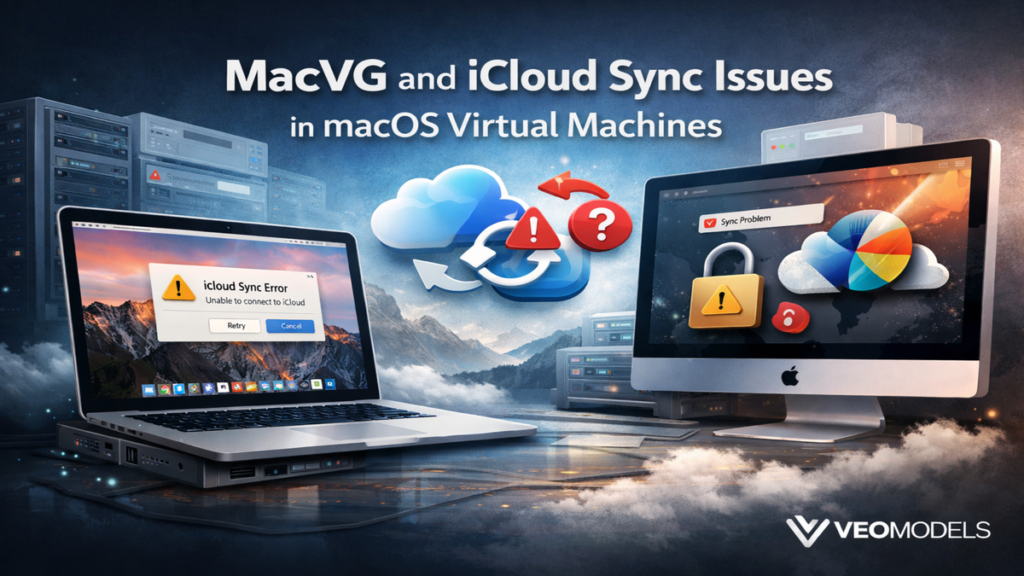

When working extensively with macOS virtualization environments, I often encounter a recurring problem that surprises many users the first time it happens. A macOS virtual machine boots successfully, the system connects to the internet without difficulty, yet iCloud synchronization refuses to start or appears permanently paused. This behavior is commonly discussed in developer forums under the informal label MacVG, which generally refers to macOS virtual machine environments created through tools such as Parallels Desktop, VMware Fusion, or UTM. Although the operating system inside the virtual machine looks identical to a normal Mac installation, its interaction with hardware, time services, networking layers, and system identifiers differs in subtle but important ways.
In practical troubleshooting scenarios, MacVG setups often reveal that iCloud services depend heavily on conditions that virtualization environments sometimes disrupt. Apple’s cloud infrastructure expects devices to maintain accurate system clocks, consistent network connections, and stable device identities. A virtual machine can temporarily break any of those assumptions. During one development environment I configured for testing macOS Sonoma builds, iCloud Drive remained paused for nearly an hour before I discovered the guest system clock had drifted slightly from the host computer. Once the time synchronization setting was corrected, file uploads resumed immediately.
These kinds of issues highlight a broader technical principle. Cloud services are designed around predictable hardware conditions, while virtualization intentionally abstracts those conditions. Understanding how these layers interact is the key to diagnosing why iCloud syncing fails inside macOS virtual machines and how MacVG environments can be configured to operate more reliably.
Virtualization Architecture and Its Effect on macOS
macOS virtualization functions by inserting a hypervisor layer between the operating system and the physical hardware of the host computer. Instead of communicating directly with the processor, storage controller, and network interface, the macOS guest system interacts with virtual devices provided by the virtualization platform. Hypervisors such as Parallels Desktop, VMware Fusion, and UTM translate those virtual device requests into operations performed by the host machine.
Although this architecture is extremely effective for development and testing workflows, it also introduces timing and identity complexities. Many Apple system services rely on precise environmental information when communicating with Apple servers. iCloud services in particular verify device identity, system integrity, and timestamps during synchronization operations. When macOS runs inside a virtual environment, those values are generated indirectly rather than directly from hardware. Even small inconsistencies may cause the cloud service to pause or retry operations.
From my own testing environments used for application compatibility analysis, I noticed that virtual machines often resume from suspended states with small differences in system time compared with the host machine. Those differences are normally insignificant for most applications, yet cloud services treat them more cautiously because timestamp mismatches can indicate network inconsistencies or potential data corruption risks. This explains why virtualization environments sometimes behave unpredictably when interacting with tightly synchronized cloud infrastructures such as Apple’s iCloud ecosystem.
Why iCloud Sync Behaves Differently in MacVG Environments
Apple’s cloud ecosystem was designed primarily for physical devices such as Mac computers, iPhones, and iPads that maintain highly predictable hardware and operating conditions. Each device communicates with Apple’s servers using secure authentication tokens, device identifiers, and timestamps that confirm when file modifications occurred. In a MacVG environment, however, several underlying assumptions may change.
One important difference involves the way virtualization platforms manage system clocks. The guest operating system often maintains its own time independently from the host machine unless synchronization is explicitly enabled. If the guest system clock drifts even slightly, Apple’s servers may interpret the difference as a potential security anomaly. When that happens, iCloud synchronization may pause until the system verifies that timestamps remain consistent.
Another factor involves network behavior. Virtual machines typically rely on network address translation or virtual network adapters controlled by the host operating system. These adapters occasionally reset during sleep cycles, host network changes, or heavy resource usage. When such resets occur, long running synchronization operations may stop unexpectedly. I observed this scenario during a large iCloud Drive upload in a development VM where the connection reset repeatedly each time the host laptop switched wireless networks.
Finally, virtualization can affect file monitoring behavior. iCloud relies on filesystem event notifications to detect when files change locally. When files originate from host shared folders rather than native VM storage, the expected filesystem signals may not appear correctly. The result is a sync engine that becomes confused about which files require uploading or downloading.
Time Synchronization Problems and Their Consequences
Accurate system time is one of the most important requirements for cloud synchronization. Apple’s services depend on timestamps to ensure that files modified on one device appear correctly on others. Even minor discrepancies can cause cloud systems to pause synchronization while they attempt to reconcile differences.
In macOS virtual machines, time drift typically occurs when the VM pauses or resumes from suspension. The host computer may adjust its clock using internet time servers while the guest system remains unaware of the correction. When the VM resumes, its clock may differ slightly from the host system and from Apple’s servers.
During one testing session I conducted while configuring a macOS Ventura VM for development tools, iCloud Drive remained inactive despite showing no error messages. Investigation revealed the VM clock was approximately twenty seconds behind the host system. Enabling the hypervisor’s option to synchronize guest time with host time corrected the problem immediately. After restarting the virtual machine, iCloud resumed uploading pending files.
Time synchronization issues illustrate how virtualization environments must carefully emulate hardware conditions. In physical devices, the operating system maintains direct control over hardware clocks. In virtual machines, however, those clocks are simulated, which means they require explicit coordination with the host environment.
Background Services and the Role of the Bird Process
Behind the user interface of iCloud Drive operates a background synchronization daemon known as the bird process. This service monitors file changes within the iCloud Drive directory and coordinates uploads and downloads between the local filesystem and Apple’s servers. When files change locally, the daemon records metadata, communicates with the cloud infrastructure, and schedules synchronization tasks.
In virtualization environments, this background service can sometimes become stuck or unresponsive after network interruptions or system suspensions. Because virtual machines frequently pause, resume, or shift network configurations, the bird daemon may encounter conditions it interprets as temporary failures. When this happens, the daemon stops processing its queue even though the system shows no visible error.
Restarting the process typically resolves the problem because it forces the synchronization engine to rebuild its internal task list. In several macOS virtual machine environments I maintain for testing software compatibility, restarting the bird process through Activity Monitor restored stalled synchronization almost immediately. The daemon restarted, reindexed the iCloud Drive folder, and resumed file transfers within seconds.
Understanding the function of background synchronization services helps explain why restarting system processes often solves problems that initially appear mysterious. In many cases, the service simply needs to reinitialize its connection to the cloud infrastructure.
Resource Allocation Limits in Virtual Machines
Resource allocation is another important factor that influences how macOS services behave inside virtual machines. Hypervisors distribute CPU cores, memory, and disk access between the host system and the guest operating systems. If a macOS VM receives insufficient resources, background services such as indexing, cloud synchronization, and system maintenance may slow down or pause entirely.
In several early virtualization experiments I conducted on a laptop with limited memory, I assigned only four gigabytes of RAM to the macOS guest system. While the operating system itself functioned normally, background tasks struggled to maintain stable operation. iCloud synchronization in particular paused repeatedly during large file transfers. Increasing the VM memory allocation to eight gigabytes eliminated the problem, suggesting that resource constraints had prevented the background daemon from maintaining continuous network activity.
CPU allocation also plays a role. When a virtual machine receives only a single processor core, heavy tasks such as indexing or application compilation may temporarily monopolize system resources. During those periods, synchronization services may enter low priority states and delay operations until sufficient resources become available.
Shared Folder Interference With File Monitoring
Shared folder features provided by virtualization platforms allow files from the host computer to appear within the guest operating system. Although this functionality is extremely convenient for transferring files between environments, it can also create complications for applications that rely on native filesystem events.
iCloud Drive monitors directories using Apple’s File Provider framework, which depends on filesystem notifications generated by the operating system. When files originate from host shared folders rather than from the virtual machine’s own disk image, the expected notification events may not occur exactly as macOS expects. As a result, the synchronization system may fail to detect file changes correctly.
In one MacVG environment configured for testing creative software workflows, I initially stored project files inside a shared folder connected to the host machine. iCloud Drive repeatedly attempted to reindex those files, sometimes triggering endless synchronization loops. Once I moved the files into a directory stored within the VM’s native virtual disk, synchronization stabilized immediately.
This behavior demonstrates that virtualization convenience features sometimes conflict with system services that assume direct hardware control.
Networking Stability and Virtual Adapters
Networking behavior in macOS virtual machines can vary significantly depending on how the hypervisor configures the virtual network interface. Many virtualization platforms use network address translation by default, which allows the VM to share the host computer’s internet connection. While this approach simplifies setup, it introduces additional translation layers between the guest system and external servers.
Each translation layer creates a potential point of disruption. If the host network changes, if the virtualization software resets the adapter, or if the VM resumes after suspension, active network connections may be interrupted. For cloud synchronization tasks that require persistent connections, such interruptions can halt transfers mid process.
In development environments where large datasets synchronize through iCloud Drive, switching the virtual machine to bridged networking sometimes improves stability. Bridged networking assigns the VM its own address on the local network, reducing the need for translation and often producing more predictable connectivity.
User Profiles and Configuration Corruption
Virtual machines frequently undergo cloning, snapshot restoration, and system rollbacks. These operations are extremely useful for testing software configurations, but they occasionally leave behind corrupted configuration files within user profiles. When iCloud configuration files become inconsistent, the system may fail to authenticate properly with Apple’s servers.
One diagnostic approach involves creating a new user account inside the macOS virtual machine and signing into iCloud from that account. If synchronization functions normally under the new profile, the original account likely contains damaged configuration data. Signing out of iCloud entirely and then signing back in after restarting the virtual machine often rebuilds these configuration files.
I encountered this situation during a test where I restored a macOS VM snapshot created several months earlier. The system booted correctly, but iCloud refused to activate. Signing out and back into the Apple ID resolved the issue, suggesting that cached authentication data had expired.
Keeping Virtualization Tools Updated
Software compatibility plays a crucial role in virtualization reliability. Hypervisors rely on integration components that allow the guest operating system to communicate effectively with the host system. When macOS updates introduce new system frameworks or security policies, virtualization vendors must update their integration tools accordingly.
Running outdated virtualization software can lead to subtle system conflicts that affect networking, filesystem access, or hardware simulation. Because iCloud relies on many of those system components, outdated hypervisors occasionally produce synchronization failures.
Maintaining compatibility therefore involves keeping both the virtualization platform and macOS itself updated to the latest stable versions. In my own testing environments, major macOS updates often require reinstalling or updating the virtualization platform’s guest tools to restore full system functionality.
Takeaways
MacVG environments illustrate how virtualization changes the assumptions cloud services rely on when synchronizing data. Accurate system time, stable networking, and native filesystem events are all essential conditions for reliable iCloud operation. When any of these elements behave differently inside a virtual machine, synchronization may pause or fail entirely. Adjusting virtualization settings, allocating sufficient system resources, and ensuring that host and guest systems remain synchronized can significantly improve reliability.
Conclusion
Virtualization has become an essential tool for developers, researchers, and technology enthusiasts who need flexible environments for experimentation and testing. Running macOS inside a virtual machine provides powerful capabilities, from software development to compatibility testing across different operating system versions. Yet these environments also reveal how closely modern cloud services depend on predictable hardware conditions.
The MacVG concept highlights the intersection between virtualization technology and cloud infrastructure. iCloud synchronization depends on accurate timing, reliable network connections, and consistent filesystem behavior. Virtual machines sometimes disrupt these assumptions, leading to paused or stalled syncing behavior that can appear confusing at first glance.
By understanding how virtualization layers interact with operating system services, users can diagnose synchronization problems more effectively. Adjusting clock synchronization, verifying network stability, allocating sufficient resources, and avoiding shared folder conflicts often restores normal operation. With careful configuration, macOS virtual machines can provide stable environments where iCloud services function nearly as reliably as they do on physical hardware.
Read: Why “Syncing with iCloud Paused” Appears on Apple Devices and How to Fix It
FAQs
Why does iCloud pause syncing in a macOS virtual machine?
Virtual machines can cause time mismatches, network resets, or filesystem monitoring issues that interfere with iCloud synchronization processes.
What is the bird process in macOS?
Bird is the background daemon responsible for coordinating iCloud Drive file synchronization between local storage and Apple’s servers.
Does virtualization software affect iCloud performance?
Yes. Hypervisors manage system resources and networking layers that can influence how background services communicate with cloud infrastructure.
Can shared folders break iCloud syncing?
Shared folders sometimes interfere with filesystem event notifications, preventing iCloud from detecting file changes correctly.
Is iCloud supported in macOS virtual machines?
While it usually works, virtualization environments may require careful configuration to maintain stable synchronization.