
I have spent much of the past year studying how modern AI coding systems behave inside real development environments. One question appears repeatedly from developers experimenting with AI-assisted programming: how do the tools actually differ once they are embedded in daily work?
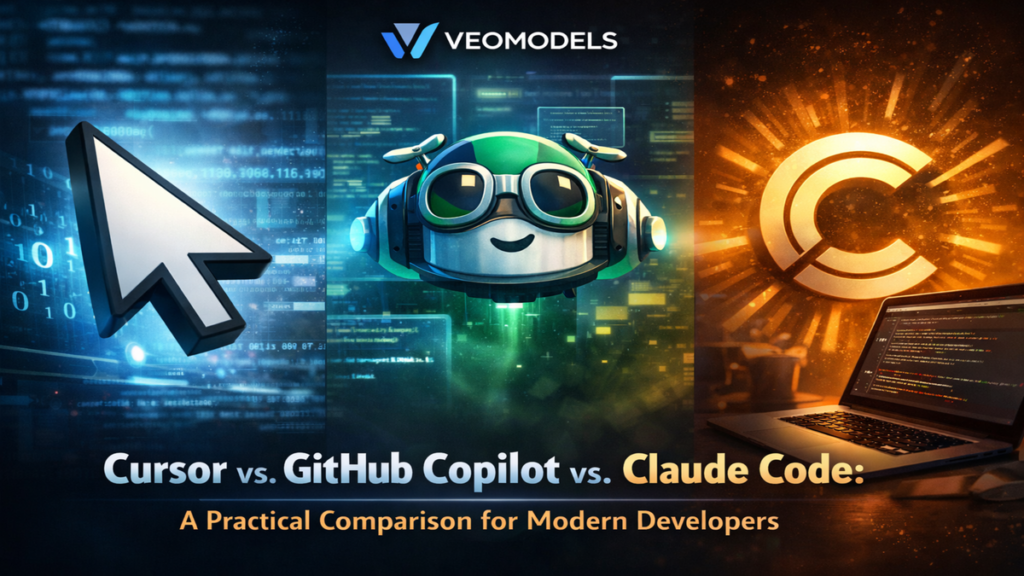
The comparison most developers search for today is Cursor vs. GitHub Copilot vs. Claude Code. At first glance, they appear to serve the same purpose. All three tools use large language models to generate, analyze, and refactor code. Yet the design philosophy behind each system is surprisingly different.
GitHub Copilot pioneered the concept of AI as an inline coding assistant. Cursor reframed the idea by turning the entire editor into an AI-native environment. Claude Code introduced something else entirely: a terminal-centric coding agent capable of reasoning across large repositories and executing complex development tasks.
These differences are not cosmetic. They influence how developers interact with AI, how code is generated, and how much autonomy the systems possess. Recent research on coding agents also suggests that tools like Cursor and Claude Code represent a shift from simple code completion toward autonomous development assistance.
In this article, I will analyze how these tools work, what architectural decisions shape them, and where each fits within modern software development workflows.
The Rise of AI Coding Assistants
AI coding assistants are rapidly becoming a standard part of the developer toolkit. What began as autocomplete enhancements now resembles collaborative software engineering.
Large language models trained on code repositories can now generate functions, identify bugs, refactor architecture, and even create pull requests automatically. Studies of AI-assisted development have found adoption rates between 15% and 22% across GitHub projects, an unusually rapid uptake for a new development technology.
The transition from code suggestions to coding agents marks the most significant shift. Traditional assistants help developers write code faster. Agents can plan tasks, coordinate changes across files, and reason about project structure.
The three tools examined here represent different stages in that evolution.
| Tool | Core Approach | Typical Interface |
|---|---|---|
| GitHub Copilot | Inline AI assistant | IDE plugin |
| Cursor | AI-native code editor | Dedicated IDE |
| Claude Code | Autonomous coding agent | Terminal / CLI |
Each approach solves a different problem in the development workflow.
Cursor vs. GitHub Copilot vs. Claude Code: Core Differences
To understand the competition among these tools, it helps to look at how they conceptualize AI assistance.
GitHub Copilot focuses on developer augmentation. The system predicts the next lines of code while a developer writes inside an existing editor. This makes adoption friction extremely low.
Cursor, by contrast, assumes AI should shape the entire development experience. The editor itself is designed around AI interactions rather than adding AI as an extension.
Claude Code takes a third approach. It acts more like an automated collaborator that can read a repository, understand project structure, and perform tasks via commands.
| Dimension | GitHub Copilot | Cursor | Claude Code |
|---|---|---|---|
| Interaction style | Inline suggestions | AI-centric editor | Task-driven agent |
| Project awareness | Limited | Multi-file context | Full repository reasoning |
| Autonomy | Low | Medium | High |
| Learning curve | Low | Moderate | Higher |
These design choices explain why developers often combine the tools instead of choosing only one.
GitHub Copilot: The Original AI Coding Assistant
GitHub Copilot remains the most widely adopted AI coding assistant. Its core strength is simplicity.
The tool integrates directly into common development environments such as Visual Studio Code, JetBrains IDEs, and Xcode. Developers receive code suggestions inline as they type, similar to predictive text in messaging applications.
In my own experiments reviewing Copilot behavior across several repositories, its greatest advantage appears during routine development tasks. Boilerplate functions, API calls, and repetitive patterns are generated quickly and often correctly.
Research and industry data indicate that Copilot significantly speeds up routine coding workflows and can increase development productivity in many environments.
However, Copilot still functions primarily as a suggestion engine. It does not autonomously execute tasks across the project or coordinate large architectural changes.
For developers who prefer minimal workflow disruption, that limitation is also its strength.
Cursor: The AI-Native Development Environment
Cursor takes a different philosophical approach. Instead of adding AI to an editor, it builds the editor around AI.
Technically, Cursor is a fork of Visual Studio Code that integrates language models directly into the editing environment. This allows the system to maintain broader context about the project and assist across multiple files simultaneously.
In practice, this leads to several distinct capabilities:
- Multi-file editing suggestions
- Context-aware refactoring
- AI-generated project changes
- Built-in conversational development prompts
Developers often describe Cursor as enabling project-level collaboration with AI, rather than line-level assistance.
Another important difference is that Cursor allows developers to switch between different underlying models. This flexibility can improve performance depending on the task.
The trade-off is that switching to a new editor requires workflow adjustment, which slows adoption among developers comfortable with existing environments.
Claude Code: The Terminal-First Coding Agent
Claude Code represents the most agent-like approach among the three tools.
Instead of functioning primarily as an editor plugin, Claude Code operates from the command line and interacts with repositories directly. Developers provide tasks or instructions, and the system attempts to implement changes across the codebase.
For example, Claude Code can:
- Review pull requests
- Refactor multiple files
- generate documentation
- identify errors across repositories
This architecture allows deeper reasoning about codebases. The system can operate on large code contexts and automate tasks traditionally performed manually.
Academic studies comparing coding agents have also shown that tools like Claude Code perform particularly well in documentation and feature generation tasks in pull request workflows.
However, the terminal-centric workflow means the tool feels less like a typing assistant and more like a programming collaborator.
Performance and Productivity in Real Projects
The question developers usually care about most is simple: which tool actually saves time?
The answer depends on the type of development work.
| Development Task | Best Performing Tool |
|---|---|
| Boilerplate code | GitHub Copilot |
| Multi-file refactoring | Cursor |
| Architecture changes | Claude Code |
| Debugging assistance | Cursor / Claude |
| Learning programming | Copilot |
Some reports suggest that AI-centric editors like Cursor can reduce development time by 40 to 60 percent for complex projects due to deeper context awareness.
At the same time, Copilot remains extremely efficient for day-to-day coding tasks, especially when developers prefer not to alter their environment.
Claude Code performs best when tasks require large-scale reasoning about code structure.
The Emerging Economics of AI Coding Tools
Another dimension shaping the Cursor vs. GitHub Copilot vs. Claude Code debate is cost.
AI coding assistants consume substantial compute resources because they rely on large language models. This cost becomes especially significant at scale.
| Tool | Typical Entry Pricing |
|---|---|
| GitHub Copilot | ~ $10/month |
| Cursor | ~ $20/month |
| Claude Code | via Claude subscription or API usage |
As AI capabilities expand, infrastructure costs are rising across the industry. Some startups report that the use of advanced coding agents has significantly increased operational expenses.
This economic pressure is likely to influence how AI coding tools evolve, particularly in enterprise environments.
Where Each Tool Fits in Developer Workflows
In practice, many developers combine these tools rather than replacing one with another.
The workflow might look like this:
- Copilot handles inline code suggestions.
- Cursor assists with larger editing tasks.
- Claude Code executes complex automation tasks.
This layered approach reflects the fact that AI coding tools are moving toward collaborative systems, not single assistants.
As one venture investor recently noted, the market for AI coding tools is expanding quickly enough that multiple platforms can succeed simultaneously.
From a technical standpoint, the tools are converging toward a shared goal: transforming AI from an autocomplete engine into a software engineering collaborator.
Expert Perspectives on AI Coding Systems
Industry observers increasingly view AI coding assistants as the next major shift in software development.
Software engineering researcher Romain Robbes has noted that coding agents represent a fundamentally new development paradigm, with AI systems capable of generating full pull requests and collaborating with human developers.
Technology analyst Ben Thompson similarly observes that AI coding tools reduce friction between idea and implementation, allowing developers to experiment more rapidly.
From my own evaluation of these tools, the most interesting change is behavioral rather than technical. Developers begin delegating increasingly complex tasks to AI systems once trust is established.
That shift suggests that future development environments will be designed around human-AI collaboration, not simply human programming.
Takeaways
- GitHub Copilot excels at fast inline code generation and minimal workflow disruption.
- Cursor provides deeper project awareness through an AI-native editor architecture.
- Claude Code acts as a coding agent capable of executing complex tasks across repositories.
- Many developers combine multiple tools rather than choosing only one.
- Coding agents are evolving from suggestion engines to collaborative development systems.
- Adoption of AI coding assistants is accelerating across open-source and enterprise environments.
Conclusion
I have studied many AI coding tools over the past few years, but the competition among Cursor, GitHub Copilot, and Claude Code illustrates something deeper than a product comparison.
These systems reflect three distinct interpretations of how artificial intelligence should assist software developers.
Copilot represents augmentation. Cursor represents AI-first development environments. Claude Code represents autonomous coding agents.
Each model has advantages depending on the developer’s workflow and comfort with automation.
What seems clear is that the industry is moving toward increasingly autonomous development systems. Instead of simply predicting code, future tools will understand projects, coordinate tasks, and collaborate with engineers.
The real question may no longer be which AI assistant is best. It may be how developers choose to work alongside increasingly capable coding agents.
Read: Image Search Techniques: How Visual Discovery Is Transforming the Way We Find Information
FAQs
What is the main difference between Cursor, GitHub Copilot, and Claude Code?
GitHub Copilot focuses on inline code suggestions. Cursor is an AI-native editor designed around project-level assistance. Claude Code operates as a coding agent capable of executing tasks across entire repositories.
Which tool is easiest for beginners?
GitHub Copilot is generally the easiest to adopt because it integrates directly into existing editors and behaves like enhanced autocomplete.
Can developers use multiple AI coding tools together?
Yes. Many developers combine Copilot for suggestions, Cursor for editing sessions, and Claude Code for automated tasks.
Which tool is best for large codebases?
Cursor and Claude Code perform better for large codebases because they can reason across multiple files and maintain broader project context.
Are AI coding assistants replacing programmers?
No. These tools primarily accelerate development tasks. Human developers still guide architecture, decision-making, and system design.