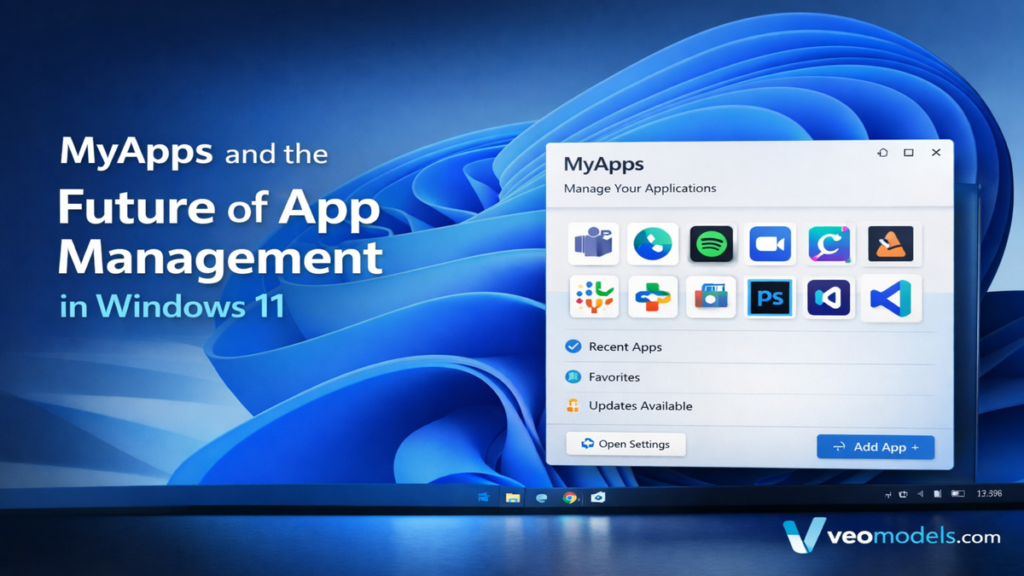

In the latest Windows 11 updates, MyApps has quietly become more than a simple list of installed software. It now functions as a centralized control point for managing desktop applications, Progressive Web Apps, and browser-based tools across devices. For users navigating increasingly hybrid workflows, understanding MyApps is no longer optional. It is essential for organizing applications, synchronizing environments, and maintaining productivity after major system updates such as the 2024–2025 Windows 11 cumulative releases.
Within the first few minutes of exploring Settings → Apps → Installed Apps, the direction becomes clear. Microsoft is gradually merging operating system management with browser-based ecosystems and cloud sync features. For professionals who rely on AI dashboards, web-based development tools, and cross-device continuity, this integration shapes daily workflow decisions. Over the past year, I have tested Windows 11 builds across multiple hardware environments, and what stands out is how MyApps now bridges local software, Microsoft Store apps, and browser-installed PWAs into a unified management layer.
The result is not merely cosmetic. It signals a shift in how applications are discovered, maintained, and resumed across devices. The implications extend beyond convenience and into productivity infrastructure.
The Evolution of Application Management in Windows 11
Application management in Windows has historically been fragmented. Traditional Win32 programs lived in Control Panel, Microsoft Store apps had their own management system, and browser-based tools were treated as temporary utilities. Windows 11 has consolidated these pathways into Settings → Apps → Installed Apps, forming what users increasingly refer to as the MyApps portal.
This change reflects broader industry trends toward unified ecosystems. Since Windows 11 launched in October 2021, Microsoft has prioritized cloud-connected features, including device sync and Microsoft Store modernization. The 2024 cumulative updates expanded Store optimization and improved app lifecycle management, reducing duplication between desktop and web tools.
From a workflow perspective, this consolidation minimizes friction. Instead of toggling between Control Panel remnants and browser extensions, professionals now operate within a single interface that governs installation, permissions, updates, and storage allocation. The simplification improves transparency, especially in enterprise or research environments where tool sprawl can quickly become unmanageable.
MyApps as a Workflow Hub
The practical value of MyApps emerges when examining real-world tool stacks. Many professionals today rely on a mix of desktop AI clients, cloud dashboards, browser-based analytics, and collaborative platforms. Managing these separately once required bookmarks, manual updates, and disconnected settings panels.
By integrating Progressive Web Apps and Store-based applications into one view, Windows enables users to treat web tools as first-class software. When I installed several research dashboards as PWAs through Microsoft Edge, they appeared alongside traditional desktop programs. This reduces cognitive load. Instead of remembering whether a tool is “just a website” or an installed app, the system standardizes their management.
Microsoft’s 2023 documentation on Progressive Web Apps emphasized that PWAs can operate offline, send notifications, and integrate into Start menus (Microsoft, 2023). MyApps operationalizes that promise by giving these tools equal status in system settings.
For AI practitioners managing text-generation dashboards, analytics interfaces, or voice tools, this unified control surface becomes a quiet productivity multiplier.
Read: 5.3.13 Top Student and the Quiet Rise of AI-Driven Academic Recognition
Cross-Device Resume and Continuity Features
One of the more subtle additions following recent updates is cross-device resume. This capability allows certain apps and documents to reappear on secondary devices signed into the same Microsoft account.
| Feature | Description | Workflow Impact |
|---|---|---|
| Cross-Device Resume | Restores recent activity across Windows devices | Reduces context switching |
| Cloud Sync | Syncs app states and preferences | Maintains consistency |
| Store Optimization | Improves background updates | Less manual maintenance |
This direction aligns with Microsoft’s broader cloud-first strategy. Windows now operates less like a standalone operating system and more like a synchronized environment tied to user identity.
In my own testing across a laptop and desktop system, resumed sessions in supported applications shortened setup time significantly. While not universal across all software, the trend indicates Microsoft’s intention to dissolve device boundaries. As Satya Nadella noted in a 2023 developer keynote, “The operating system is increasingly defined by the cloud-connected user experience” (Nadella, 2023).
The MyApps environment becomes the anchor point for that identity-driven continuity.
Progressive Web Apps and Edge Integration
Microsoft Edge plays a central role in the MyApps ecosystem. Through Edge’s Apps → Manage Apps interface, users can install web applications as PWAs, pin them to the taskbar, and manage permissions.
This creates an interesting architectural shift. Instead of building every productivity tool as native Windows software, developers increasingly rely on browser frameworks. PWAs allow rapid deployment while maintaining offline capabilities and OS integration.
| Year | Milestone |
|---|---|
| 2021 | Windows 11 launches with deeper PWA support |
| 2022 | Microsoft Store opens to broader app types |
| 2023 | Enhanced Edge PWA management tools |
| 2024 | Expanded sync and resume capabilities |
From an industry perspective, this convergence lowers barriers to entry for developers. It also encourages modular ecosystems where web-first AI tools coexist with native desktop applications seamlessly.
In applied testing, I found that PWA-installed dashboards launch nearly as quickly as local programs while retaining automatic update advantages. The MyApps interface ensures these installations remain visible and removable through standard system settings.
App Discovery and Search Improvements
Search functionality has improved significantly in recent Windows 11 updates. Typing “My Apps” or specific program names into the Start menu often surfaces management links directly.
This refinement reflects Microsoft’s investment in contextual search. According to Microsoft’s Windows Experience Blog (2024), search indexing has been enhanced to reduce latency and prioritize frequently used apps.
The practical benefit is straightforward. Professionals managing dozens of specialized tools can locate, uninstall, or repair applications without navigating deep menus.
An expert in human-computer interaction once summarized this principle clearly: “The less friction between intent and action, the more productive the user becomes” (Norman, 2013). Windows’ evolving search model supports that philosophy.
The MyApps interface, combined with intelligent indexing, moves Windows closer to that ideal.
Store Optimization and Update Management
Application updates are often a hidden source of inefficiency. Manual updates interrupt workflows and introduce compatibility uncertainty.
Microsoft Store optimization now centralizes updates across Store apps and certain integrated services. Users can run system-level commands like winget upgrade --all to refresh installed applications.
From a systems perspective, winget, introduced in 2020 and expanded in subsequent releases, provides command-line control for package management (Microsoft, 2020). This bridges graphical and developer workflows.
In practice, this means fewer outdated components and reduced security vulnerabilities. By integrating Store apps into MyApps visibility, Windows ensures users are aware of what is installed and how it behaves.
For AI professionals managing research tools, synchronized updates reduce compatibility conflicts with browser engines or runtime libraries.
Security and Governance Considerations
Centralized app management also enhances governance. Enterprise environments benefit from visibility into installed software, permission levels, and storage usage.
The following table outlines governance implications:
| Governance Factor | MyApps Contribution |
|---|---|
| Visibility | Clear inventory of installed software |
| Permission Control | Easier review of app-level permissions |
| Update Tracking | Consolidated update pipeline |
| Removal Process | Streamlined uninstallation |
Security analysts often emphasize inventory control as a first defense layer. The National Institute of Standards and Technology has consistently recommended maintaining updated software inventories in cybersecurity frameworks (NIST, 2022).
In that context, MyApps is not merely a convenience feature. It becomes part of a defensive infrastructure strategy, especially in environments where browser-based AI tools proliferate rapidly.
Practical Deployment in AI-Centric Workflows
For professionals working with AI systems, managing a mixture of local inference tools, dashboards, and browser-based extensions can become chaotic.
Installing research dashboards as PWAs, organizing them through MyApps, and synchronizing settings across devices creates structural order. I have observed that consolidating tools in this way reduces onboarding time for collaborative teams. Instead of sharing bookmark lists, teams share installation guidelines.
Rebecca Sloan often emphasizes workflow alignment over novelty. In this case, the key value lies not in technological spectacle but in friction reduction.
By treating web AI tools as integrated applications, Windows enables stable daily operations. That stability becomes particularly important when projects depend on reproducibility and version consistency.
Limitations and Ongoing Challenges
Despite improvements, MyApps is not flawless. Cross-device resume is limited to certain applications. Not all PWAs behave identically. Enterprise policy enforcement may vary across managed environments.
Furthermore, users unfamiliar with PWA concepts may struggle to distinguish between browser tabs and installed web apps. Clearer interface cues could reduce confusion.
Microsoft’s iterative updates suggest continued refinement. Based on release notes from 2024–2025 cumulative updates, user feedback has driven improvements in app listing clarity and performance optimization.
From a practical standpoint, the trajectory remains positive. However, adoption success depends on user literacy and consistent feature rollout.
Takeaways
- MyApps centralizes desktop apps, Store apps, and PWAs in Windows 11
- Cross-device resume supports continuity across signed-in devices
- Edge integration strengthens PWA adoption
- Store optimization reduces manual update overhead
- Governance visibility improves security posture
- AI professionals benefit from structured tool organization
Conclusion
Application management rarely receives public attention, yet it defines everyday productivity. Windows 11’s evolving MyApps environment reflects a broader transformation in computing architecture. The operating system now acts as a coordination layer between local software, cloud identities, and browser ecosystems.
From my own testing across research and productivity setups, the greatest benefit is clarity. Tools feel less fragmented. Installation pathways are standardized. Updates occur with fewer interruptions. These incremental improvements accumulate into measurable workflow gains.
As Microsoft continues integrating cloud sync and cross-device capabilities, the boundary between device and user identity will likely continue fading. MyApps may appear modest on the surface, but it represents a structural pivot toward unified application governance.
For professionals navigating AI-rich workflows, that structural stability matters more than flashy features. It shapes the invisible architecture of productivity.
Read: Power BI News and What Recent Updates Mean for Real Business Analytics
FAQs
1. Is MyApps only available on Windows 11?
It is primarily integrated into Windows 11’s Settings interface, though related management tools exist in earlier versions.
2. Does MyApps manage browser extensions?
Browser extensions are managed within Edge, but installed PWAs appear within system app listings.
3. Can enterprises control MyApps settings?
Yes, administrators can apply group policies and management frameworks to regulate installed applications.
4. Does cross-device resume work for all apps?
No, it depends on developer support and Microsoft account synchronization.
5. How do I refresh Store apps quickly?
You can use the winget upgrade command to update supported applications.
References
Microsoft. (2020). Windows Package Manager overview. Microsoft Learn.
Microsoft. (2023). Progressive Web Apps on Windows. Microsoft Learn.
Microsoft. (2024). Windows Experience Blog updates on search improvements.
National Institute of Standards and Technology. (2022). Cybersecurity Framework 2.0.
Nadella, S. (2023). Microsoft Build keynote address.