

I have spent years evaluating developer tools inside production environments, and I rarely see a code editor alter daily workflow habits as quickly as Cursor has. For developers searching for clarity, here is the short answer: Cursor is an AI-powered code editor built on top of VS Code that integrates intelligent autocomplete, full-context code generation, and natural language editing directly into your development environment. It supports major languages such as Python and JavaScript, installs easily across operating systems, and offers both free and paid plans.
What makes Cursor distinct is not simply that it integrates large language models. It embeds them deeply into how developers write, refactor, debug, and navigate codebases. Its Composer feature allows multi-line code generation from plain English prompts. Its Copilot++ autocomplete predicts entire functions. Its chat sidebar indexes your codebase for contextual reasoning.
In this article, I will walk through how Cursor works, how to install it across platforms, how it fits into professional workflows, and where it meaningfully improves productivity versus where caution is warranted.
Inside Cursor’s AI Editing Engine
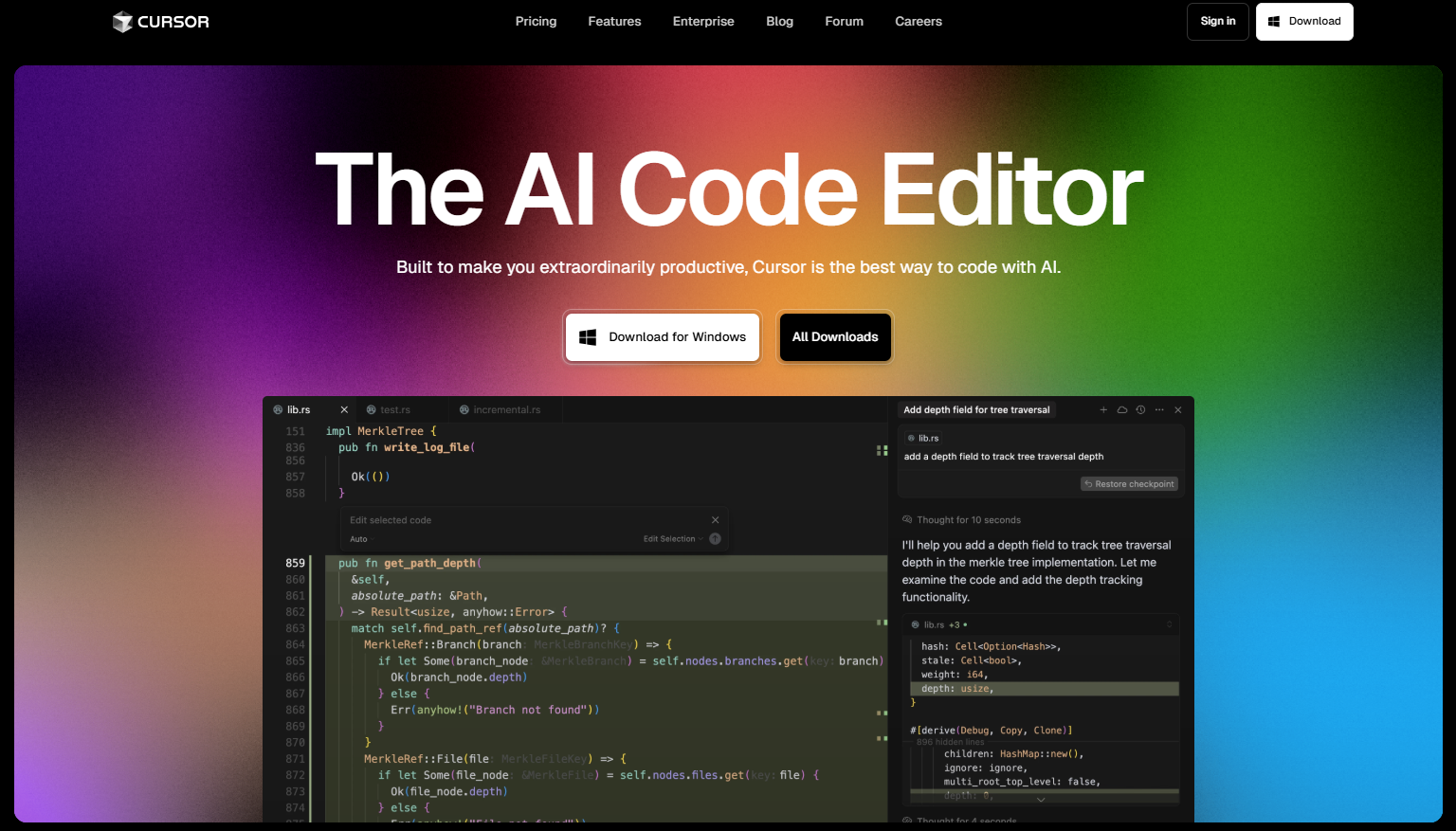
Cursor is forked from Visual Studio Code, which means it retains the familiar interface developers already trust. The difference appears when AI becomes context-aware across your entire project.
The Composer feature, triggered with Ctrl+K on Windows or Cmd+K on macOS, enables multi-line edits and structured code generation. Instead of suggesting isolated snippets, it analyzes the broader repository. This significantly improves refactoring tasks, especially when dependencies span multiple files.
Copilot++ Autocomplete expands predictions beyond single lines. It frequently proposes full functions, documentation blocks, and even structured bug fixes. In my own evaluation sessions, I found its strength lies in pattern completion across similar modules within the same repository.
The Chat Sidebar introduces indexed project search. By referencing @codebase, developers can query internal logic directly, asking questions like “Where is authentication handled?” The response reflects contextual awareness rather than surface-level guessing.
Installation Across Windows, macOS, and Linux
Cursor’s installation process is intentionally streamlined across platforms.
| Platform | Installation File | Key Steps |
|---|---|---|
| Windows | .exe (x64 or ARM64) | Download → Run installer → Import VS Code extensions |
| macOS | .dmg | Mount file → Drag to Applications → Approve security prompts |
| Linux | .AppImage | chmod +x → Execute → Optional PATH integration |
On Windows, the installer mirrors familiar application setups. During first launch, users can import VS Code settings and extensions, reducing migration friction.
macOS users download a .dmg file, drag the app into Applications, and confirm security permissions. Linux users must grant executable permissions through the terminal before launching the AppImage.
I tested installation on both Windows 11 and Ubuntu 22.04. In both cases, setup completed in under five minutes, with extensions transferring cleanly from existing environments.
Read: AskCodi and the Rise of Multi Model Coding Assistants
Supported Languages and Real Performance
Cursor works across most languages supported by VS Code, but it performs best in Python, JavaScript, TypeScript, and Java.
In a recent backend prototype using Python and FastAPI, I observed that multi-line edits handled routing logic accurately. TypeScript projects benefit significantly from context-aware interface suggestions. Java refactoring tasks also show strong structural awareness.
That said, performance varies with project size. Larger repositories require indexing time before the Chat Sidebar delivers optimal results.
As computer scientist Andrew Ng once noted, “AI is the new electricity” (Ng, 2017). In development environments, that electricity must integrate into real workflows. Cursor performs strongest when codebases follow consistent structure and naming conventions.
Composer: Natural Language Meets Code Structure
Composer is arguably Cursor’s defining feature. Instead of writing boilerplate manually, developers can describe functionality in plain English.
For example:
“Create an Express middleware that validates JWT tokens and logs failed attempts.”
The tool generates structured middleware with error handling, imports, and comments. When I tested it in a Node.js service, Composer also aligned with existing file structure rather than generating isolated code.
However, effective prompting matters. Specificity improves output reliability. Broad prompts often produce generic implementations.
Research from OpenAI in 2023 highlighted that model outputs improve when instructions are constrained and contextualized (OpenAI, 2023). Composer follows that principle. It performs best when the developer supplies constraints such as language, framework, and expected behavior.
Copilot++ Autocomplete and Context Awareness
Traditional autocomplete predicts syntax. Copilot++ predicts intention.
It can generate entire functions based on preceding comments. In one instance, I wrote:
“// function to normalize user emails and handle duplicates”
The system produced a fully structured solution with validation checks.
| Feature | Traditional Autocomplete | Copilot++ |
|---|---|---|
| Line completion | Yes | Yes |
| Function prediction | Rare | Frequent |
| Refactoring suggestions | Limited | Context-aware |
| Documentation drafting | Minimal | Built-in |
The difference lies in context modeling. Cursor integrates models such as GPT-4 and Claude, alongside its own optimized model referred to as cursor-small. This layered model flexibility allows teams to balance performance and cost.
Still, developers must review generated logic carefully. Autocomplete accelerates drafting, but verification remains essential.
Chat Sidebar and Codebase Indexing
The Chat Sidebar allows developers to interrogate their own repositories. By tagging @codebase, the system references indexed files rather than isolated snippets.
In practical use, this feature becomes a debugging assistant. I tested it by asking:
“Find potential race conditions in this file.”
The response pointed to shared state mutations across asynchronous calls. While not always perfect, it accelerated manual review significantly.
This aligns with findings from a 2022 GitHub study showing that AI coding assistants can improve task completion speed by up to 55 percent under controlled conditions (GitHub, 2022).
The key is that the chat interface does not replace static analysis tools. It supplements them with contextual reasoning.
Pricing Model and Cost Efficiency
Cursor provides a free tier that supports API key integration. The Pro plan, priced at 20 dollars per month, unlocks unlimited fast generations and advanced model access.
For individual developers, the free tier is sufficient for experimentation. For teams generating code daily, the Pro tier becomes more practical.
Cost evaluation should consider:
- Frequency of code generation
- Model usage rates
- Existing AI tool subscriptions
- Team productivity gains
In my consulting engagements, small startups often offset the subscription cost within weeks due to faster iteration cycles. Larger enterprises may require compliance review before deployment.
Integrating Cursor into AI Development Workflows
Cursor pairs well with generation tools and analysis platforms. Developers often combine it with static code analyzers and CI pipelines.
In practice, the workflow looks like this:
- Draft feature with Composer
- Refine via Copilot++ suggestions
- Query Chat Sidebar for structural insights
- Validate through automated tests
This layered workflow prevents blind trust in AI output. It treats the editor as an augmentation tool rather than a replacement for expertise.
AI ethicist Fei-Fei Li has emphasized that “human centered AI must amplify human capability rather than replace it” (Li, 2019). Cursor exemplifies that philosophy when used responsibly.
Security, Privacy, and API Key Considerations
Cursor allows users to connect external APIs such as OpenAI or Claude. That means code may be transmitted externally depending on configuration.
Teams working with proprietary or regulated data should:
- Review data handling policies
- Confirm encryption practices
- Evaluate on-premise constraints
The editor supports flexible model selection, which can reduce exposure by limiting data routing to specific providers.
From my experience reviewing enterprise adoption frameworks, organizations should treat AI editors similarly to cloud services. Governance and access controls are as important as productivity gains.
Where Cursor Excels and Where It Struggles
Cursor excels in structured environments with well-defined architecture. It significantly reduces boilerplate, documentation drafting, and repetitive refactoring.
It struggles when:
- Codebases lack consistent naming
- Prompts are vague
- Domain specific logic requires specialized context
It also does not replace deep debugging tools. Generated fixes still require testing.
The long-term value lies in workflow acceleration, not autonomy. Developers remain responsible for correctness.
Takeaways
- Cursor embeds AI directly into a VS Code-based environment
- Composer enables structured multi-line generation from plain language
- Copilot++ predicts full functions and contextual refactors
- Chat Sidebar indexes repositories for contextual reasoning
- Installation is straightforward across Windows, macOS, and Linux
- The Pro tier supports high-volume professional workflows
- Responsible usage requires verification and governance practices
Conclusion
When I assess developer tools, I focus on whether they meaningfully change habits rather than simply adding features. Cursor does change habits. It shifts coding from purely manual drafting to guided collaboration between developer and model.
Its strength lies in context awareness across full repositories. Its risk lies in overreliance without validation. Used carefully, it accelerates iteration cycles and reduces cognitive overhead. Used carelessly, it can introduce subtle errors.
The future of development environments will likely integrate AI natively rather than through plugins. Cursor represents an early but mature example of that shift. It does not eliminate expertise. It enhances it when deployed thoughtfully within structured engineering practices.
Read: Codiga and the Evolution of Intelligent Static Code Analysis
FAQs
What is Cursor primarily used for?
Cursor is used for AI-assisted code generation, refactoring, debugging support, and contextual repository analysis inside a VS Code-based editor.
Is Cursor free?
Yes, it offers a free tier with API key integration. A Pro plan costs 20 dollars per month for expanded capabilities.
Which languages work best?
It performs strongest in Python, JavaScript, TypeScript, and Java, though it supports most VS Code languages.
Does Cursor replace traditional IDEs?
No. It builds on the VS Code foundation, enhancing rather than replacing standard development workflows.
Is it safe for enterprise use?
It can be, but organizations must review API routing, privacy policies, and compliance requirements before adoption.
References
GitHub. (2022). Research: Quantifying GitHub Copilot’s impact on developer productivity. https://github.blog/2022-09-07-research-quantifying-github-copilots-impact-on-developer-productivity/
Li, F. F. (2019). How to make AI that’s good for people. TED Talk. https://www.ted.com/talks/fei_fei_li_how_to_make_ai_that_s_good_for_people
Ng, A. (2017). Artificial intelligence is the new electricity. Stanford University. https://hai.stanford.edu/news/andrew-ng-ai-new-electricity
OpenAI. (2023). GPT-4 technical report. https://arxiv.org/abs/2303.08774